Invoicing and payments
Invoices
Invoices opens on what you're owed: the total due, split into past due, open and paid this month, with how many are open and how many are past due.
The table under it is the ledger — invoice number, customer, date, due date, amount and status. Filter by status, customer or period, or search.
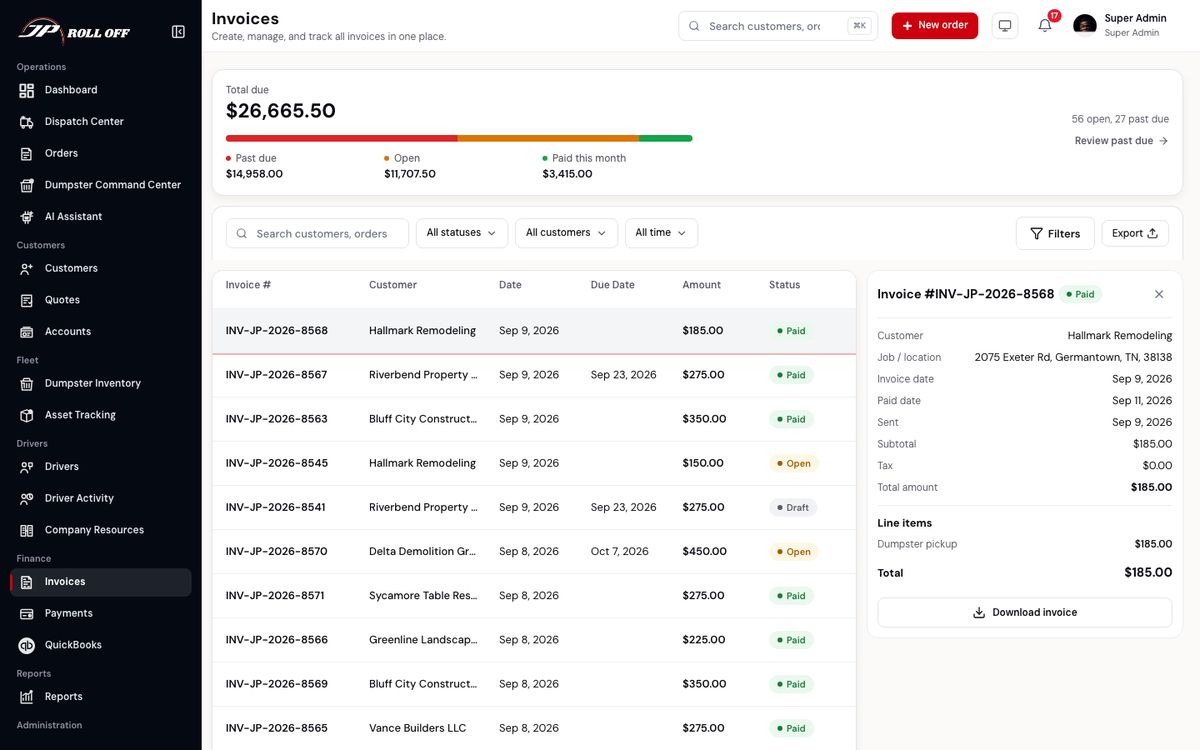
Review past due jumps straight to the ones that need chasing.
Click an invoice and it opens beside the list: the customer, the job and location, the dates it was issued, sent and paid, the line items, and the total.
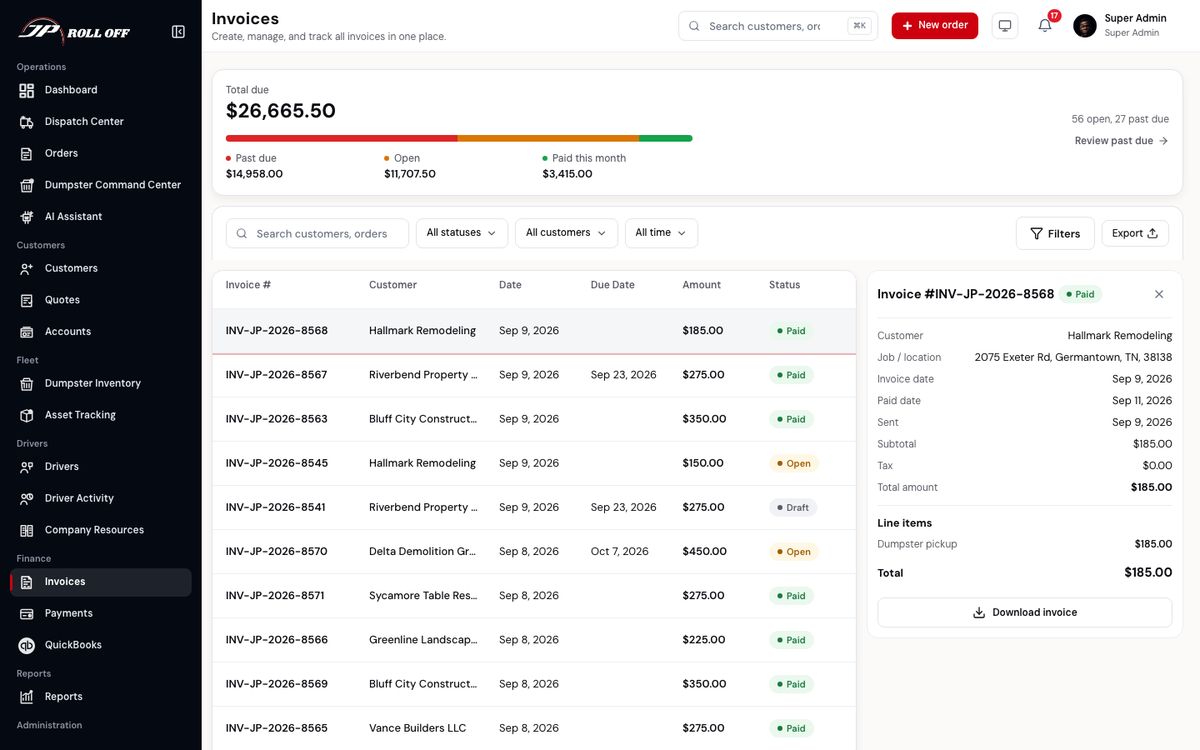
Download invoice produces the PDF — the same document the customer can pull from their app.
An invoice status tells you where it is:
| Status | Meaning |
|---|---|
| Draft | Raised, not sent. The customer can't see it |
| Open | Sent and waiting |
| Partly paid | Sent, and some of it has been paid |
| Paid | Settled |
| Past due | Sent, and the due date has gone |
| Void | Cancelled. Nothing is owed |
Once any money has come in, the panel also shows the amount paid, anything refunded, and the balance due, with each payment listed under the line items.
Receiving a check or cash
When a customer pays at the office or mails a check, open the invoice and press Receive payment.
- Choose Check or Cash.
- The amount is filled in with what's owed. Change it if they paid part of it.
- Set the date it arrived, and the check number for a check.
- Press Record payment.
The customer gets a receipt. If they paid it all, the invoice becomes Paid. If they paid part, it shows Partly paid and the balance is what's left. The customer's app and their pay link then ask only for that balance.
Voiding an invoice
An invoice sent by mistake, twice, or for an order that was cancelled can be voided, as long as nothing has been paid on it. Press Void invoice, choose a reason, and confirm. The customer no longer owes it and its pay link stops working. It stays in the list marked Void.
A job is ready to invoice once the driver has completed it.
What it will say is settled before that, on the order's Billing tab: the weight against its allowance, the overweight charge that falls out of it, and any trip charge, extra rental days or labour added by hand. See charges the driver's work added — that is the screen to get right, because after the invoice is sent you are issuing a correction.
Payments
Payments is money in, rather than money owed. It has two tabs: Payments, the list of transactions, and Bank deposits, for matching your bank statement.
On the Payments tab, each row is a transaction: the invoice it settled, the customer, when, how much, by what method, and whether it went through.
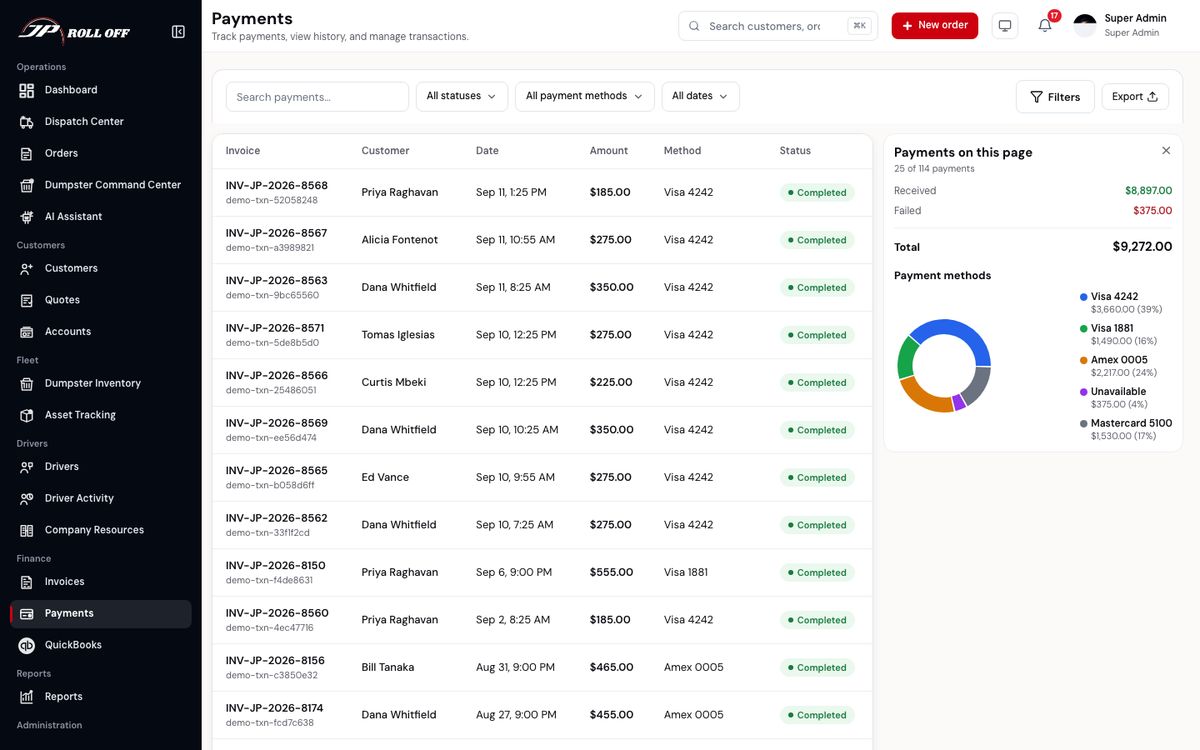
The cards above the list total what's on the page: received, refunded, pending, failed, and the split by method.
Customers pay in their app or from the link on an emailed invoice, and those land here on their own. You can also take a card payment against an order yourself, from the order's panel, and record checks and cash from the invoice.
Charging an order uses the card saved for that job site. If the site has none, it uses the customer's own default card, and then their most recent one. A customer with a card on file can be charged for an order at a new address without saving the card again.
Filter by status, method or date: Yesterday, Today, This week, This month, Last 30 days, or Custom for your own dates.
Checks and cash show as Check #1043 or Cash. Money given back is its own row, marked Money returned, with a minus amount. The payment it came from is marked Refunded.
Bank deposits
The Bank deposits tab lists each deposit the card processor paid into your bank: the date, how many payments it covered, the amount captured, any fees, and Deposited, the amount that lands in the bank. Match that figure to the deposit on your bank statement.
Void or refund?
Both are on the ⋯ menu of a payment, here or on the invoice. They mean different things:
| Void | Refund | |
|---|---|---|
| Means | The payment didn't really happen | We gave money back |
| Use it for | A bounced check, a card charged by mistake today, a payment entered against the wrong invoice | A customer who overpaid, was charged twice, or is owed money back |
| The customer | Owes that amount again | Doesn't owe anything more. The invoice stays settled |
| Card payments | Cancelled before the money reaches the bank. Once it has settled (usually the next day), refund it instead | Sent back to the card. It usually shows in 5 to 10 business days |
| Check or cash | Recorded only | Recorded only. Hand the money back yourself |
A refund can be the whole payment or part of it. Both ask for a reason, which is kept with the payment. Only owners, admins and accounting can void or refund.
A failed payment is worth following up rather than retrying blindly: the customer's own app shows them why it was declined, and a decline puts their account on hold until it's settled.
QuickBooks
QuickBooks is where the ledger syncs out to your accounts.
Next: Reports and settings